


Yesterday i was posted an article about tips how to put adsense in our blog, which one of the tips is "put your adsense in strategies area". Posting area is one of important area in our blog. Why? because it the most visitor looking for when they visit our blog. If we have good article and a lot of visitor (high traffic), is to bad if we don't put our adsense in our blog. Our adsense can be put under title post, inside post, or below post (post-footer). Now i will share how to put adsense inside post area.
To put your adsense inside post area, there are different way than if we put adsense in normally. Before we put adsense> inside post, we must convert code the adsense before. To convert your adsense code, you can use this tool, Blogrowds Resources. Just paste your code in area and then click parse button.

After you have convert code for your adsense, go to your Edit HMTL in your blogger account. Check "Expand Widget Templates" option.

Now you must search this code one.
<div class='post-body entry-content'>
<data:post.body/>
And then add this code above that code
<div style='float: right; margin: 0px 0px 0px 10px;'>
Your converted adsense code Here
</div>
And then save your template.
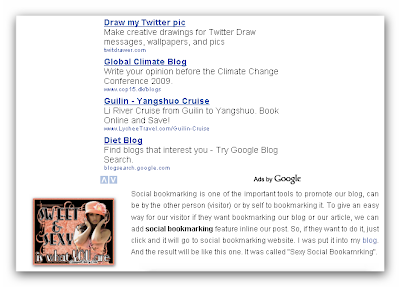
Now you can look up for the result. I was used this adsense trick and the result like this one.
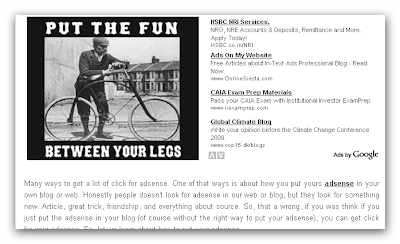
You can change a margin of your adsense to fix it with your template.
I hope you enjoy this adsense tutorial.
Best Regard.
Blog Adsense

To put your adsense inside post area, there are different way than if we put adsense in normally. Before we put adsense> inside post, we must convert code the adsense before. To convert your adsense code, you can use this tool, Blogrowds Resources. Just paste your code in area and then click parse button.

After you have convert code for your adsense, go to your Edit HMTL in your blogger account. Check "Expand Widget Templates" option.

Now you must search this code one.
<div class='post-body entry-content'>
<data:post.body/>
And then add this code above that code
<div style='float: right; margin: 0px 0px 0px 10px;'>
Your converted adsense code Here
</div>
And then save your template.
Now you can look up for the result. I was used this adsense trick and the result like this one.

You can change a margin of your adsense to fix it with your template.
I hope you enjoy this adsense tutorial.
Best Regard.
Blog Adsense


